


Top Apps I Recommend For Enhancing Productivity
- Harihar Madhu
- Jul 10, 2020
- 4 min read
So, you probably have some sort of device, which could be a phone, a tablet, or a laptop. Well, without applications(apps), it would be nothing. Your hardware may come with the basics, but there's a whole world of tools for creating things, getting organised, and tracking your life. My top choices here will help you get your life in order and also exercise those creativity muscles. These are some apps I use a lot to stay productive, which I suggest you try too.
The criteria on which I select the apps would be:
Ability to sync
Easy-to-use interface
To-Do List App
Keeping a list of things you need to do, today or sometime later, is a fundamental step of being productive. By using to-do lists, you could allot time for each task, check off the ones you have completed, and keep track of time, so that you have enough time left to do something productive.

If we were to use paper to write a lot of tasks to do, then we would definitely be overwhelmed by the number of tasks to do, which in turn might lead to procrastinating.
Microsoft To-Do is the to-do list app I prefer to use. It easily syncs between all my devices. So, if I had an idea, homework, assignment, or any blog post idea, which I write on my phone then, it would automatically show on my laptop.
The user experience is just outstanding. It lets you to organise your to-do list on various categories. We can add due dates, reminders, assign the task to anyone (if you are working with a group). I also liked the sound it makes when you check off the task; it is pleasurable to see the progress.
Todoist is another to-do list app which help you create tasks, sync and share across multiple systems. It is a basically like Microsoft To-Do, with more packed features like prioritising one's tasks and much more.
Calendar apps
There is a reason why calendars are seen almost everywhere, ranging from houses to offices.
It is an important item for managing time, activities, managing events, and even breaking large complex tasks into small simpler tasks.

This would definitely be my favourite calendar app. Well, firstly because it is made by Google. Secondly, it syncs across my devices and thirdly, because it is Google, the user experience is very clean and easy-to-use.
It is, as the name suggests, like a normal calendar, but which features like scheduling events and meetings, setting reminders for various tasks, and the ability to color code your events.
Pomodoro and Focus Timer apps
In my previous blog post(which you can click right here), I had talked about the pomodoro method, its evidence and how it works. I have also mentioned that the timer for that could also be an app. So, here are the apps I use for focus.

Forest (App)
Having trouble focusing while working? This app might be the solution to your problem. This app has a built-in timer which you can adjust to your liking. Well, it sounds like we could use our built-in timer in our devices to do that.
But, the thing that separates it from most timers is the ability to block distracting apps. Even better, it grows a virtual tree as you work with the timer on. You stop the timer, while you are working or check out what your favourite youtuber has uploaded, the tree dies(sadly). You can even plant a real tree indirectly, while you solve maths sums.
Flashcards Apps
If you are having trouble with memorising and trying to understand the memorised concepts, flashcards might be the right choice for you.


If you don't know what flashcards are, then these are simply blank cards(you can make out of paper) where you fill some information on one side and a question or clue on the other, and you pack it as a deck. It is a great way to memorise especially while revising.
Flashcards engage Active Recall, easy memorisation and much more. I will cover more about flashcards in a future post.
The more the number of piled up papers we see, more overwhelming we will be. It is also be quite time-consuming. An alternative to this could be, of course, an app.
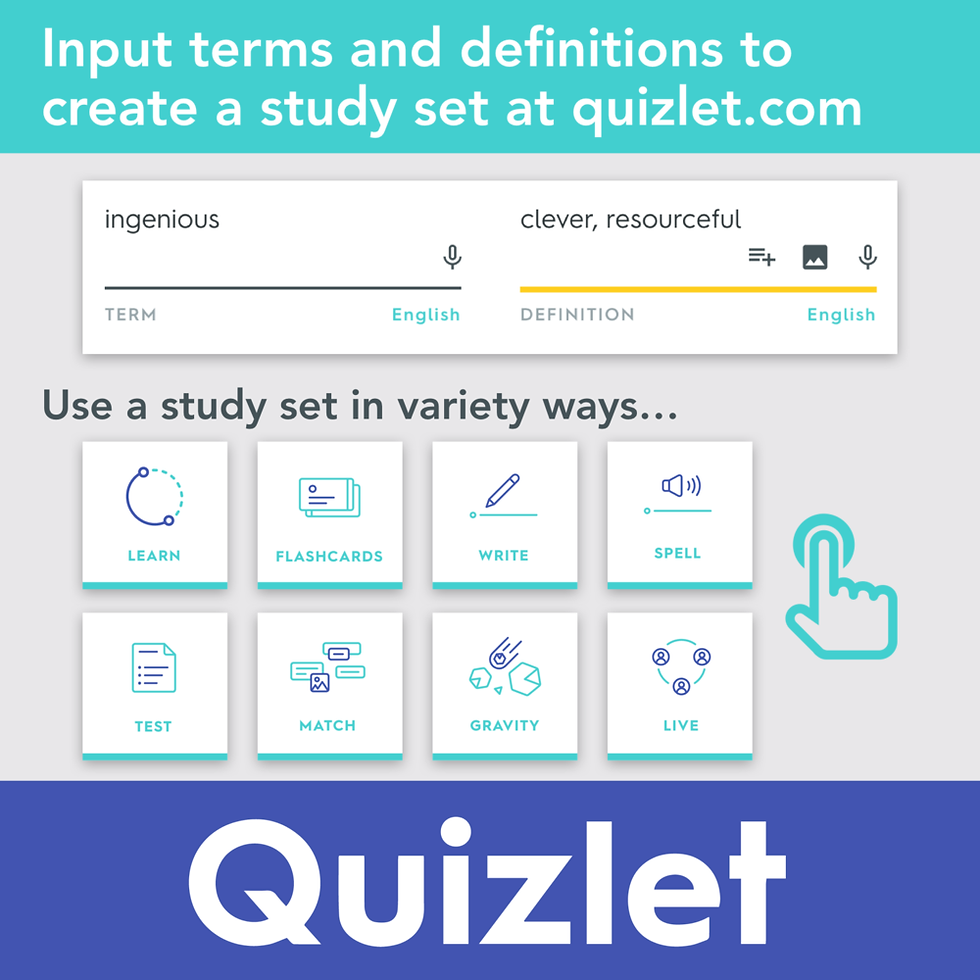
Quizlet is an app which focuses on making visually pleasing flashcards for any subject you can think of. You can make your own flashcards, along with trying other's flashcards.
Other than making fun flashcards, it also allows us to play quiz versions of the flashcards, play game version of the flashcards and more.
Note-taking app
What I meant by note-taking is not only writing school notes, but also for writing down great ideas, writing some drafts of some essays, and even a life planner.

Notion is a place, where you can write, plan, get organised and even collaborate with others, if you have a common group in Notion. Notion, themselves, like to call it an "all-in-one" workspace, and it is very true.

It allows you to take some notes, add tasks(to-do), manage projects, add plans like kanban board and more. The list is endless. The picture above is how Notion looks like. I had used Notion for writing some points of this blog (as seen in the picture).
There are countless number of ways to use Notion, but once you try it for some time, you will get the hang of it. If I list down the ways in this post, it will be too long, so it will be covered in a future post. Stay tuned..
There are more apps which can help you be more productive, focus and motivate, but these are all apps I use and what I recommend you try too. Well, you can always use the comments section to write down any other app which helped you stay productive and creative.
So, this is end of the blog. Thank you for reading. Comment down below some suggestions, opinions and ideas as it could be the title of the next blog. Till then, see you in the next one :)
Subscribe to my newsletter" Friday Fun" to get to know about some thoughts, interesting articles and updates of my blog during that week. Share this blog with others as it is could be very helpful to them.


Comments